Reflex Acoustics
QuadMaster
QuadMaster
Couldn't load pickup availability
Multiband compression with automatic gain-staging.
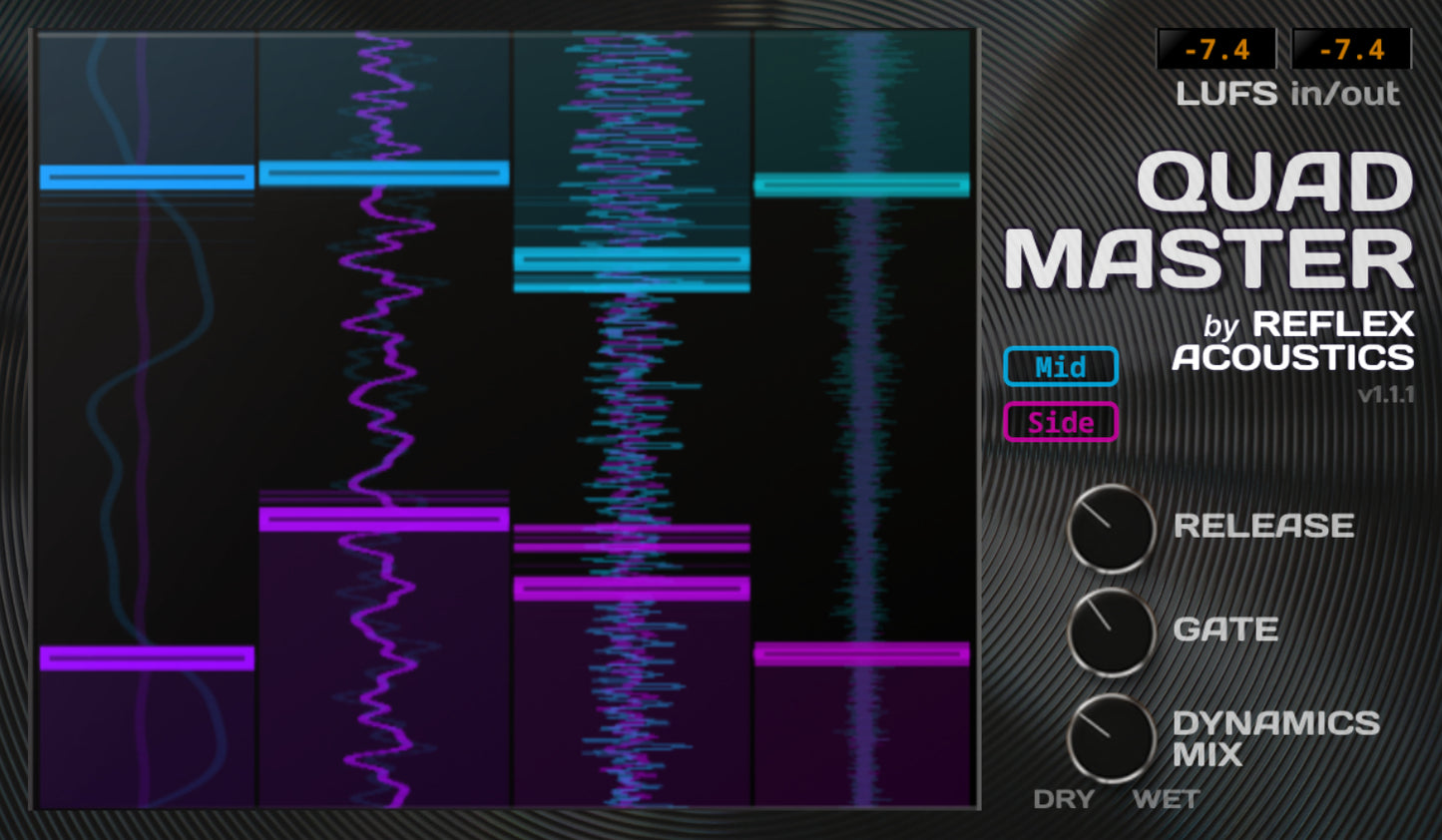
QuadMaster is a multiband mid-side compressor with subtle gating and saturation on each of its four frequency bands. Each band has automatic mid-side threshold-finding and make-up gain, which enables the device to add dynamics and clarity to your audio without disrupting your EQ balance or overall loudness.
Traditional multiband compressors may require the user to manually dial in a fixed threshold and make-up gain for each band before hearing an EQ- and loudness-neutral result. For a four-band, mid-side device, that would be 16 or more controls requiring calibration. (This is probably why so few people use multiband mid-side processing despite it sounding so good.)
QuadMaster unlocks handles the tedious part automatically. The effect starts enhancing your music even while still on its default settings; plus it adapts and keeps working even as your material gets louder and quieter—so you can treat your verse and chorus with the same device.
Features
- Four adjustable frequency bands, with solo ("S") button for each
- Automatic threshold—use the Compression ("Compr.") dials to control how far the thresholds ride below the peaks in your signal
- Adjustable compressor attack timing on each band
- Adjustable global release time
- Simple multiband gate with adjustable range up to 6dB
- Subtle multiband saturation with automatic gain-staging on each band (oversampled if project sample rate is below 80kHz)
- Automatic make-up gain targeting neutral EQ & LUFS impact
- Parallel processing via gain-matched dry/wet mix controls for dynamics and saturation
- Mid and side processing can each be deactivated if not needed
How to use
- Use QuadMaster on your master bus or wherever else it's needed
- Set the Release time to best complement the groove of your material
- Hover the mouse over the gain-reduction display to reveal per-band controls
- To enhance transients and ambience, turn up the Compression dials, but avoid choking off any sustained tones
- If needed, adjust the crossovers by clicking and dragging the displayed frequencies
- Click the gain-reduction display or "QuadMaster" for instant A/B test (bypass mode continues to use CPU in order to stay calibrated)
- Double-click to reset a dial to its default value, or hold <CTRL>/<CMD> to fine-tune
Technical notes
- Available in VST3, AAX & AU formats for Windows and MacOS
- Requires a compatible Digital Audio Workstation or other plugin host
- 7-25ms latency from linear-phase filters (depending on lowest crossover freqency selected)
- No external sidechain capability
- Plugin may not react meaningfully to certain engineering test signals used by analysis tools such as PluginDoctor
Please download and evaluate the free demo version of QuadMaster before purchasing. Demo version here.